

Ask any warehouse manager or SME owner what keeps them up at night, and “did we actually have that item in stock” is usually somewhere on the list. Spreadsheets drift out of date, stock counts don’t match what’s on the shelf, and purchasing decisions end up based on guesswork rather than real numbers. This is where ERP inventory management comes in — not as a magic fix, but as a more structured way to keep stock data accurate and visible across the business.
This guide walks through what ERP inventory management actually means, why stock accuracy matters, the common challenges Singapore businesses run into, and what to look for when choosing a system.
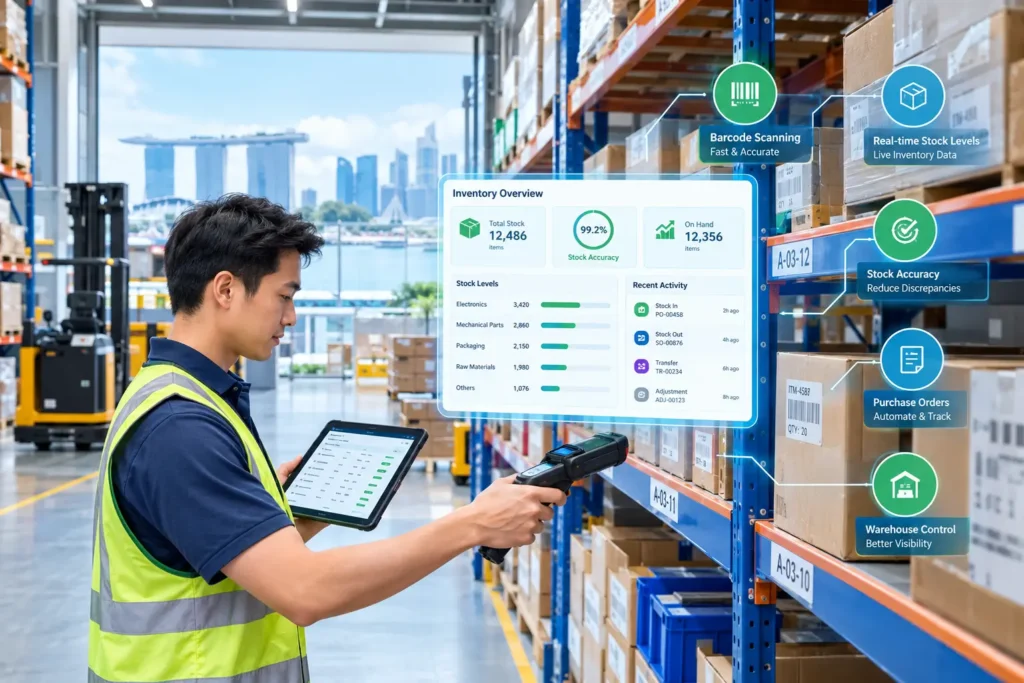
ERP inventory management refers to tracking and controlling stock — quantities, locations, movements, and valuations — within an Enterprise Resource Planning (ERP) system, rather than through separate spreadsheets or standalone inventory tools.
The key difference from a standalone inventory app is connection. In an ERP system, inventory data isn’t sitting in isolation — it’s linked to other business processes like purchasing, sales, and warehouse operations. When a sales order is created, it can draw from the same stock records used for purchasing decisions. When goods are received from a supplier, that update can flow through to the same system tracking what’s available to sell. This connectivity is what separates ERP inventory management from a simple stock-counting spreadsheet: the inventory data becomes part of a single operational picture rather than a number that has to be manually reconciled against other departments.
Inaccurate stock data doesn’t just cause inconvenience — it has direct financial and operational consequences:
For SMEs operating on tighter margins and working capital than larger enterprises, these issues compound quickly. Getting stock accuracy right isn’t just an operational nicety — it’s a direct lever on cash flow and customer experience.
Many of the businesses that eventually move to ERP inventory management share a familiar set of pain points:
ERP systems tackle these problems by pulling inventory data into one connected, centralised environment. Instead of stock being tracked across scattered spreadsheets and paper logs, everything lives in a single system, and every transaction — goods received, transfers, sales, adjustments — leaves a trail showing how and why levels changed. Purchase orders connect directly to inventory, so incoming stock updates the same data used for sales, while sales orders draw from those same stock figures, cutting the risk of confirming an order against stock that isn’t actually there. Warehouse visibility improves too, giving a clearer picture of what’s stored where, which matters most once a business is running more than one location. Where supported, automated updates reduce manual re-entry so stock reflects transactions as they happen rather than after a delay, and reporting turns all that raw inventory data into something usable — movement trends, slow movers, warehouse performance over time.
None of this makes the data perfect by default — ERP still depends on disciplined processes and accurate entry at the point of transaction. But centralising and connecting everything closes off a lot of the places errors used to creep in.
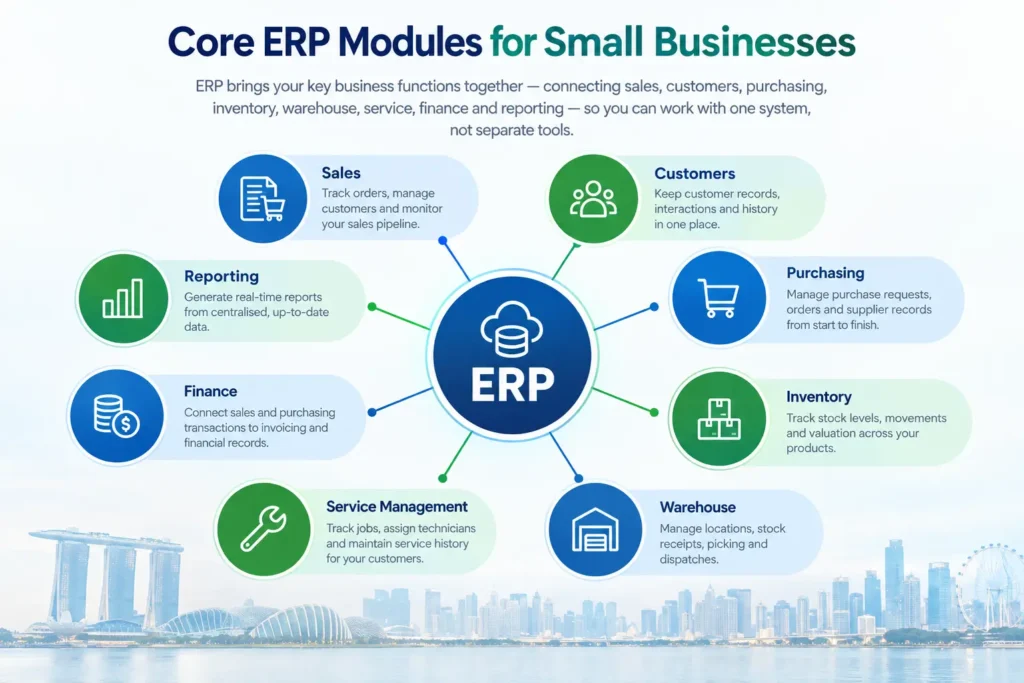
When evaluating a system, it’s worth looking past the marketing and checking for a specific set of capabilities. Real-time stock tracking down to the SKU level is the foundation — without it, everything else is built on shaky ground. From there, multi-location inventory support lets you track stock across multiple warehouses or outlets from one system, while purchase management and sales integration make sure purchase orders and sales orders both draw on and update the same inventory data rather than working in silos. Warehouse management tools help organise storage, picking, and movement within a site, and stock adjustments give you a proper way to record and explain manual corrections, like after a count or a damaged-goods write-off. Reorder management flags stock nearing a reorder point before it becomes a problem, reporting and dashboards summarise movement, valuation, and performance at a glance, and solid product or item management keeps product details, categories, and identifiers like SKUs or barcodes properly structured.
Adaptive BizApp’s Inventory & Warehouse Management module, for example, supports multi-location tracking with real-time visibility, SKU and barcode management, batch and expiry tracking to reduce waste, inventory valuation and demand forecasting, warehouse space organisation across pallets and shelves, and reporting on inventory and warehouse performance. Beyond these verified capabilities, it’s worth confirming specific feature details directly with the team or in a demo, since functionality gets updated over time.
ERP supports better accuracy mainly by cutting out disconnected manual steps. When purchasing, sales, and warehouse teams all reference the same system, there’s less chance of anyone working off outdated numbers — that single source of truth removes a lot of the guesswork. Stock changes also get tied to actual events rather than someone’s memory: a PO received, an order fulfilled, both update records automatically instead of relying on a separate spreadsheet edit. Recording adjustments — damage, loss, count corrections — as a distinct, trackable process makes it far easier to spot where and why discrepancies happen, instead of quietly editing a number with no record of the change. Using SKUs or barcodes consistently across purchasing, warehousing, and sales cuts down on mismatched or duplicate entries, and regular reporting gives visibility into movement and discrepancies over time, so recurring issues get caught before they compound.
We won’t quote a specific accuracy improvement percentage here — the real impact depends on how consistently a business follows its processes, how well the system is configured, and the state of the data before implementation. ERP inventory management gives you a more structured framework for accuracy, not a guaranteed number.
For smaller businesses, a few practical considerations tend to matter most. Start with whatever is actually causing pain — if stockouts on fast movers are the biggest issue, prioritise reorder visibility; if mismatched records between purchasing and sales are the problem, prioritise that integration instead. There’s also no need to over-engineer things from day one: you don’t need every advanced feature immediately, and a system flexible enough to grow with you often beats one that’s fully loaded but hard to use. It’s worth planning for multi-location needs early too, even if you’re currently single-site, since retrofitting that tracking later is far more disruptive than planning for it upfront. On the cost side, Singapore SMEs adopting pre-approved digital solutions may qualify for support like the Productivity Solutions Grant (PSG), so it’s worth checking eligibility directly with the scheme. And finally, budget real time for data migration — moving from spreadsheets or a legacy system means cleaning and transferring existing data, and this is often where accuracy issues first surface, so it’s not a step worth rushing.
Stock accuracy isn’t just a warehouse concern — it affects cash flow, customer experience, and the quality of purchasing decisions across the business. Manual, disconnected inventory processes tend to accumulate small errors that compound over time, while ERP inventory management offers a more structured, centralised way to track stock across purchasing, sales, and warehouse operations.
No system replaces the need for consistent processes and disciplined data entry — but a connected ERP platform makes it considerably easier to maintain that consistency as a business grows. If you’re a Singapore SME exploring how to bring more accuracy and control to your inventory, Adaptive BizApp’s Inventory & Warehouse Management module is built to work alongside our Customer & Sales Management and Vendor & Purchase Management solutions as part of a connected ERP platform.
Book a free demo to see how it fits your operations
Manage finance,HRMS, inventory, sales & operations in one powerful platform to improve efficiency and accelerate business growth.
Built to support modern businesses with smart, scalable solutions. We simplify daily operations and enable teams to work faster, smarter, and more efficiently.
© 2026 Adaptive Cloud Systems Pte. Ltd. All Rights Reserved.